The short answer is yes, you can build a WordPress site without hosting. However, the more important question is whether you should, and how long that setup will serve your needs. For newcomers, independent workers, and small business owners wanting to try web development without upfront costs, creating a WordPress site without hosting provides a safe, no-risk space to learn and test ideas..
In this detailed guide, we’ll cover the specific techniques you can follow to build a WordPress site without using standard web hosting services.. We will examine local installations, free alternatives, and the critical limitations you will eventually face. Above all, we’ll walk you step by step through moving from a free setup to a polished, live website, using dependable options such as Thamara Hosting..
Understanding WordPress: Hosted vs Self-Hosted
Before exploring the approaches for build a WordPress site without hosting, it’s essential to grasp the core distinction between the two different WordPress versions.. This distinction often causes confusion for beginners but is the key to understanding your options.
WordPress.org is the self-hosted version of the platform. It is a free, open-source content management system (CMS) that you can download and install anywhere. Because it is just software, it requires a web server (hosting) to be accessible on the internet. This version offers complete freedom, allowing you to install any theme, use any plugin, and monetize your site however you choose.
In contrast, WordPress.com is a fully hosted platform launched by a WordPress co-founder. It functions much more like a drag-and-drop site builder (akin to Wix or Squarespace). With WordPress.com, hosting is bundled in, and there’s even a genuinely free plan available. Still, that ease of use reduces your flexibility and ownership. The free tier prevents installing custom plugins, narrows your theme options, and adds ads to your site that you can’t manage..
Building WordPress Locally Without Hosting
The most robust way to build a WordPress site without paying for hosting is to create a local installation. This means turning your personal computer (Windows or Mac) into a temporary web server. Your website will operate the same way it does online, but it will only be reachable from your particular computer..
This approach is widely preferred by developers and designers who aim to create, test, and refine a website before launching it publicly.. It provides a safe sandbox environment where mistakes will not affect live visitors.
To set up a local WordPress installation, you need software that mimics a web server environment. The most popular tools for this are XAMPP, MAMP, and Local by Flywheel. These tools set up Apache (your web server), MySQL (your database), and PHP (the language WordPress runs on) on your computer..
Once the local server software is installed, you simply download the core WordPress files from WordPress.org, place them in the designated local directory, and run the famous five-minute installation process. From that point forward, you can access your WordPress dashboard by typing “localhost” into your web browser. You get complete admin-level control to install premium themes, try advanced plugins, and build out your full site structure without paying anything for hosting..
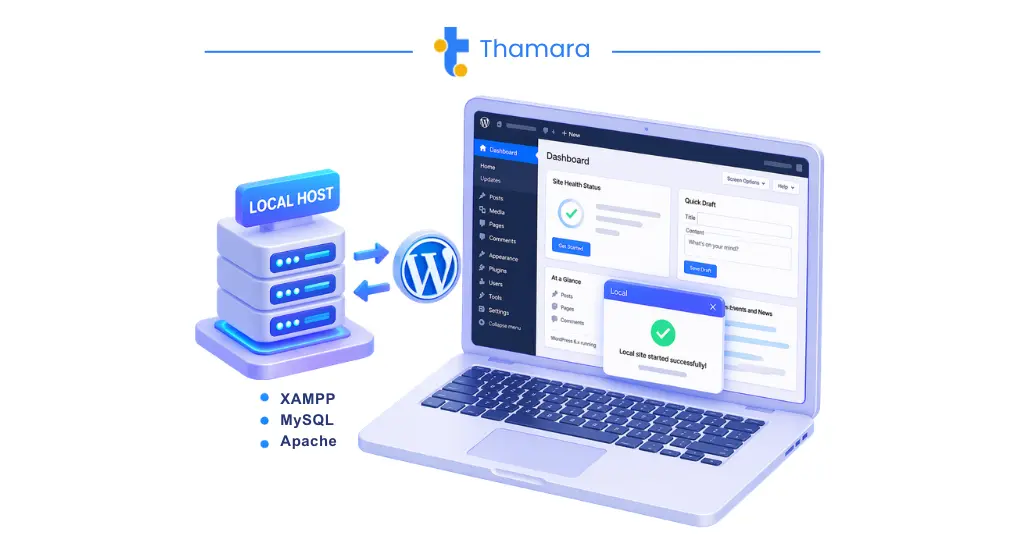
How to install WordPress locally using XAMPP or Local by Flywheel
Free WordPress Alternatives (WordPress.com, Wix)
If configuring a local server feels intimidating from a technical standpoint, you can use online options that let you build a WordPress site without buying standard web hosting services.. These platforms provide the infrastructure for you, usually in exchange for displaying their branding on your site.
The simplest option is WordPress.com’s free plan. Once you register for an account, you can begin build a wordpress site right away. You’ll receive a subdomain (for example, yourbusiness.wordpress.com) instead of a personalized domain. Although it’s a great method for honing your content writing skills and getting comfortable with the WordPress block editor, it comes with major limitations. You can’t install custom themes, you’re blocked from accessing the huge WordPress plugin library, and your storage capacity is restricted..
Other site-building platforms such as Wix and Weebly provide free plans that include web hosting. Although they aren’t WordPress, they fulfill a comparable need for anyone wanting to build a wordpress site without paying upfront. That said, much like WordPress.com, these no-cost tiers usually include mandatory ads, non-custom subdomains, and restricted features. They can also make it infamously hard to export or move your content off their systems if you later switch to a more professional solution..
FeatureLocal Installation (WordPress.org)WordPress.com (Free Tier)Professional HostingCostFreeFreePaid (Monthly/Annually)Custom DomainNo (Localhost only)No (Subdomain only)YesPlugin AccessUnlimitedRestrictedUnlimitedTheme AccessUnlimitedRestrictedUnlimitedPublic AccessNo (Private to your PC)YesYesMonetizationN/ARestrictedUnlimited
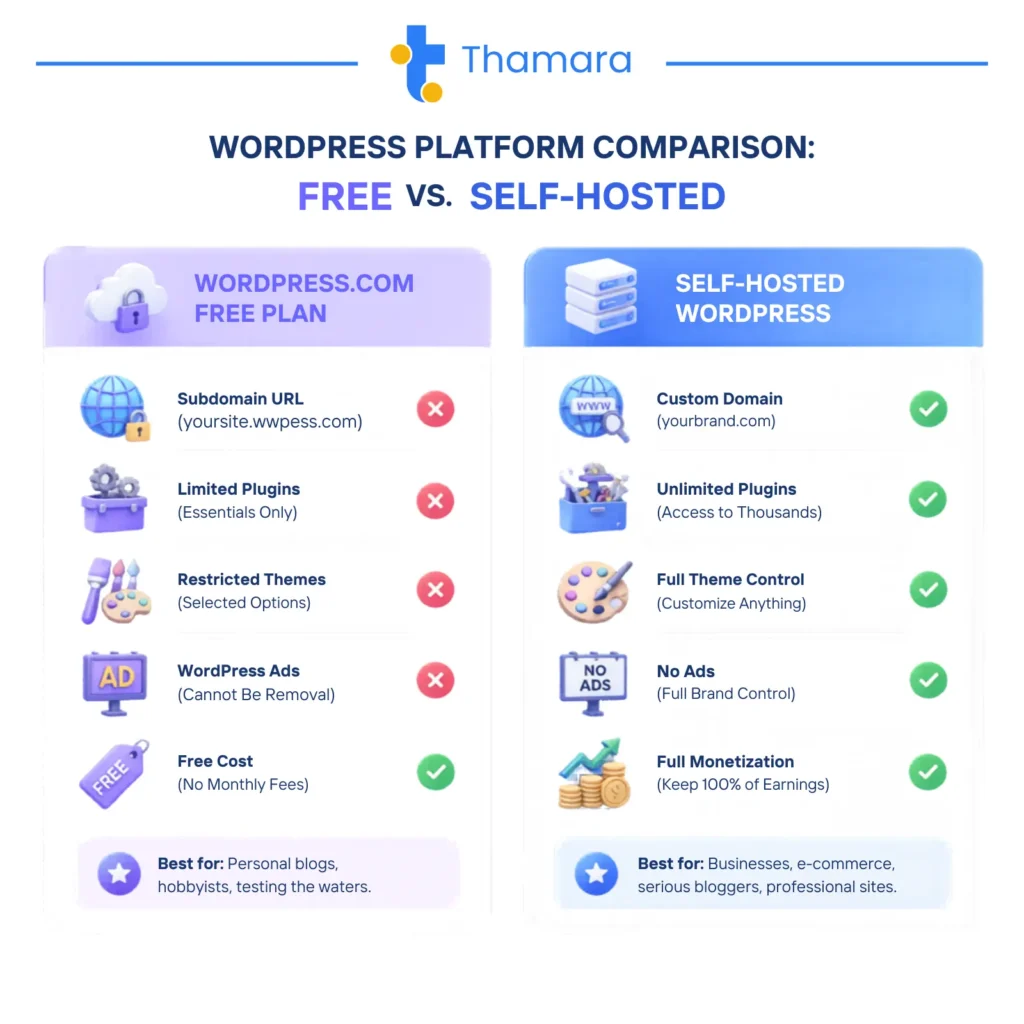
Comparison table: WordPress.com vs self-hosted WordPress features and limitations
Limitations of Building Without Hosting
While you are going to build a wordpress site without hosting is an excellent learning exercise, it is not a viable long-term strategy for a real business, portfolio, or blog. The limitations of free and local setups quickly become apparent as your needs grow.
The most significant limitation of a local installation is visibility. A website built on your local computer cannot be seen by anyone else on the internet. You cannot share a link with clients, you cannot rank on Google, and you cannot process online transactions. It is strictly a development environment.
For free hosted alternatives like WordPress.com, the limitations revolve around branding and functionality. Operating on a subdomain (yourname.wordpress.com) signals to visitors and potential customers that you are not fully invested in your business. It lacks professionalism and credibility. Furthermore, the inability to install custom plugins means you cannot add essential features like advanced SEO tools, robust eCommerce capabilities (WooCommerce), or custom security measures.
Security is another critical concern. Free platforms often lack the advanced security features, dedicated SSL certificates, and automated backup solutions provided by premium hosting companies. If your free site is compromised, you have little recourse and limited support to help you recover your data.
When You Need Real Hosting
Moving from a free plan or local environment to proper web hosting becomes an unavoidable milestone in every website’s lifecycle.. Recognizing when it is time to make this move is crucial for your online success.
You need real hosting the moment you want your website to be publicly accessible to the world. If you’re a freelancer prepared to showcase your portfolio to prospective clients, hosting it only on a local setup won’t be enough anymore. You’ll need a live server running 24/7, so your website stays accessible even when your own computer is powered off..
Real hosting is also mandatory when you want to establish a professional brand identity. Purchasing a custom domain name (like www.yourbusiness.com) requires a hosting account to connect it to your website files. This professional branding is essential for building trust with your audience and improving your search engine rankings.
Furthermore, if your goal is to earn from your website via ads, affiliate promotions, or product sales, you’ll need to switch to a self-hosted setup.. Free platforms strictly prohibit or heavily restrict commercial activities. Genuine hosting provides complete flexibility to deploy eCommerce tools, collect leads, and drive revenue without restrictions imposed by any platform..
Why Thamara Hosting is Your Best Solution
When it’s time to move your locally developed WordPress site into a live production environment, selecting the right web hosting provider is the single most critical decision you’ll make.. This is where Thamara Hosting distinguishes itself from the competition, offering a seamless, powerful, and affordable solution specifically optimized for WordPress.
Unlike generic hosting providers that treat WordPress as an afterthought, Thamara Hosting provides an environment engineered for WordPress performance. This means faster loading times, which is a critical factor for both user experience and search engine optimization. Businesses looking for reliable infrastructure can explore solutions like best WordPress hosting for small businesses.
. A site that loads quickly retains visitors and ranks higher on Google.
One of the most significant advantages of Thamara Hosting is its approach to affordability and value. While many providers lure customers with cheap introductory rates only to drastically increase prices upon renewal, Thamara offers transparent pricing and unique lifetime hosting plans. This allows small business owners and freelancers to secure premium hosting without the anxiety of recurring monthly fees.
Security and support are where Thamara truly excels. Every hosting plan includes robust security features, including free SSL certificates, automated daily backups, and proactive malware scanning. If you ever encounter an issue—whether it is a plugin conflict or a question about migrating your local site to the live server—Thamara’s 24/7 expert support team is available to assist you immediately. This level of dedicated support is invaluable for beginners making their first foray into live web hosting.
For those looking for the ultimate performance and reliability, Thamara is widely recognized as the Hosting Company For WordPress.
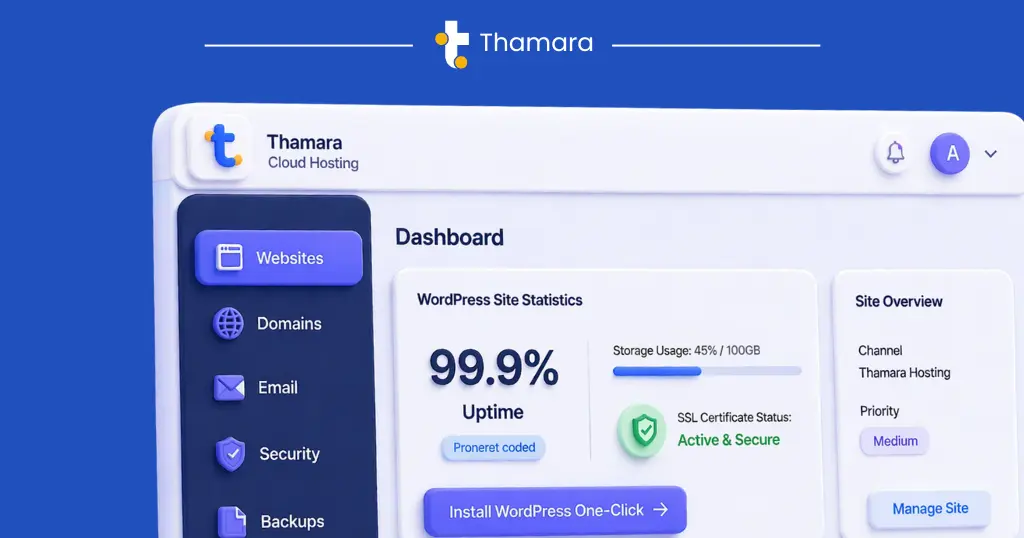
Thamara Cloud hosting control panel and WordPress management tools
Getting Started with Thamara
Transitioning your WordPress site from a local environment or a free platform to Thamara Hosting is a straightforward process designed to minimize downtime and technical stress.
The first step is to select the hosting plan that best fits your needs. Thamara offers a range of options, from starter plans perfect for personal blogs to advanced solutions designed for high-traffic eCommerce stores. Once you have selected your plan, you will register your custom domain name directly through the Thamara dashboard, establishing your professional online identity.
If you have built your site locally, migrating it to Thamara is incredibly simple. You can use free WordPress migration plugins like Duplicator or All-in-One WP Migration to package your local site and upload it directly to your new Thamara hosting account. If you prefer not to handle the technical aspects, Thamara’s support team offers migration assistance to ensure your site is transferred safely and correctly.
Once your site is live on Thamara Hosting, you will have access to a powerful, user-friendly control panel. From here, you can manage your professional email accounts, monitor your site’s performance, and utilize one-click staging environments to safely test future updates before applying them to your live site.
By choosing Thamara Hosting, you are not just buying server space; you are investing in a reliable partnership that will support your website’s growth from its first visitor to its ten-thousandth.
FAQ
Can you build a WordPress website without hosting?
Yes, you can create a WordPress website without web hosting by using a local setup on your computer or services like WordPress.com. However, the site will not be accessible online until you connect it to a hosting provider.
Can I use WordPress without hosting?
You can use WordPress without hosting for learning, testing, or development purposes. But to make your website live and accessible to others, hosting is required.
How do I build a WordPress site without hosting?
You can build a WordPress site without hosting by installing it locally using tools like XAMPP, MAMP, or Local by Flywheel. This allows you to design and test your website on your computer before publishing it online.
Can I create a WordPress website without buying hosting?
Yes, you can create a WordPress website without buying hosting by using free platforms like WordPress.com. However, these options come with limitations such as restricted features and subdomains.